Include VAT Details in Scheduled Reservation Folio Emails
Stay is enhanced to allow properties to choose whether to include VAT details in the reservation folios that are emailed to guests either at the scheduled time or after the night audit.
Feature Setting
The Auto Email Folio to the Guest feature setting must be enabled to use this feature.
Property Setting
The Generate Guest VAT Invoice checkbox must be enabled in the Regional tab of the Property Setup screen (All Settings ➜ General ➜ Property, Buildings & Outlets ➜ Regional) to use this feature.
When the Auto Email Folio to the Guest feature setting and the Generate Guest VAT Invoice checkbox is enabled, users can choose to include the VAT details in the reservation folios that are emailed to guests during check-out. Users must enable the newly added Generate Guest VAT Invoice flag in the following tabs of the Folio Template Setup screen (All Settings ➜ Templates ➜ Folio):
-
Before Checkout
-
After Checkout
Although the flag will be displayed in the mentioned tabs, it can be enabled or disabled only when the Generate Guest VAT Invoice checkbox is enabled for the property in the Property Setup section.
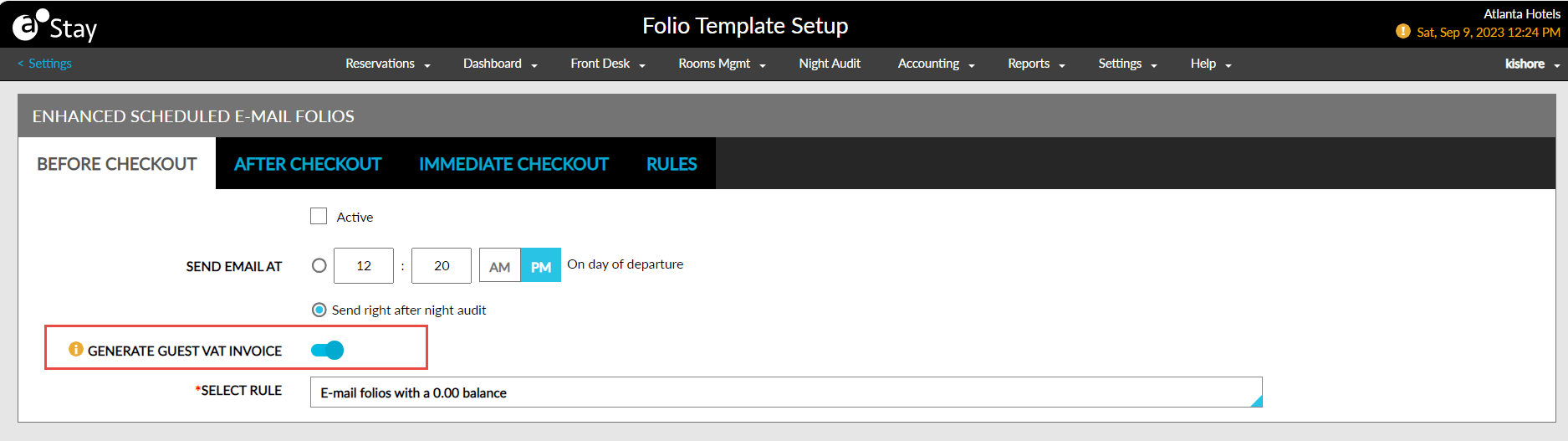
-
When the Generate Guest VAT Invoice flag is enabled in the mentioned tabs, the reservation folio is emailed along with the VAT details to the guest’s email ID.
-
When users deselect the Generate guest VAT invoice checkbox in the Check Out pop-up screen, the VAT details are not included in the emails sent to guests.
Depending on the rule selected for check-outs, the template associated with the rule is applied to the body of the email and the details of the VAT invoice and the reservation folio are sent as a PDF file attached to the email.
System Changes
To support this enhancement, a new flag, Generate Guest VAT Invoice, has been added to the following tabs to include VAT details in the reservation folios that are emailed to guests:
-
Before Checkout
-
After Checkout